
AirPods Pro 3 EQ Settings Explained 🤔 Firmware 9A348 | iOS 27
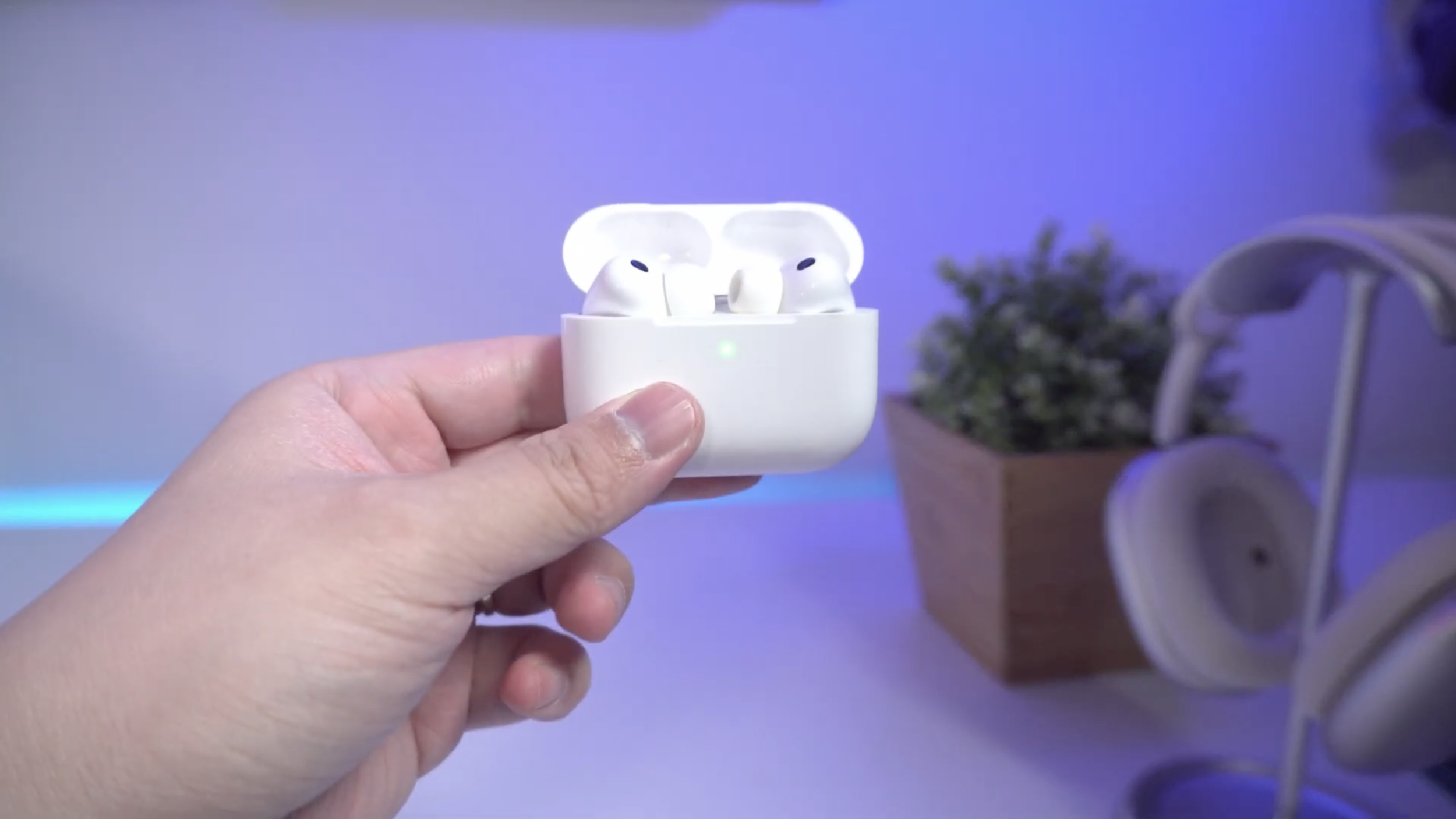
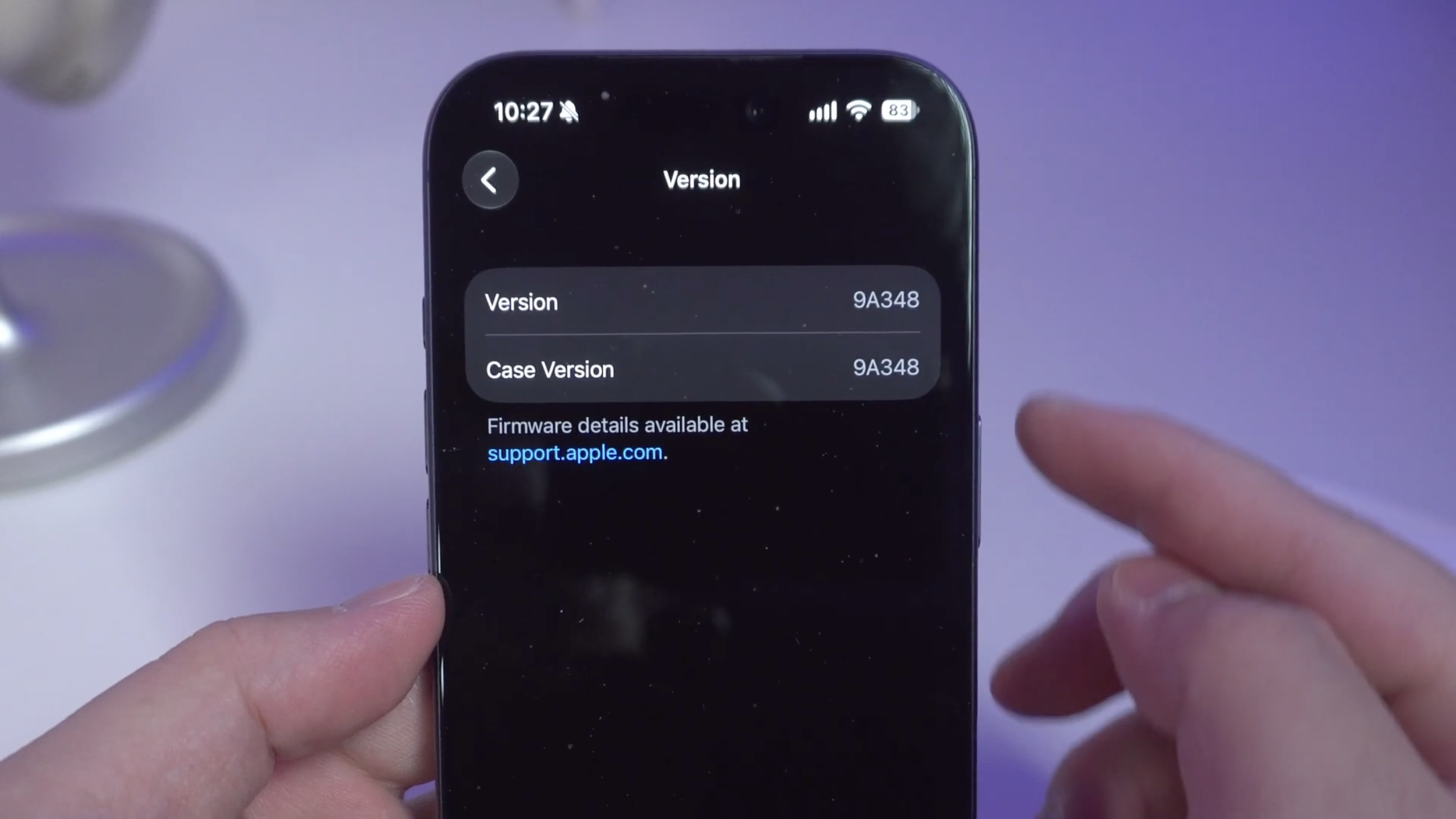
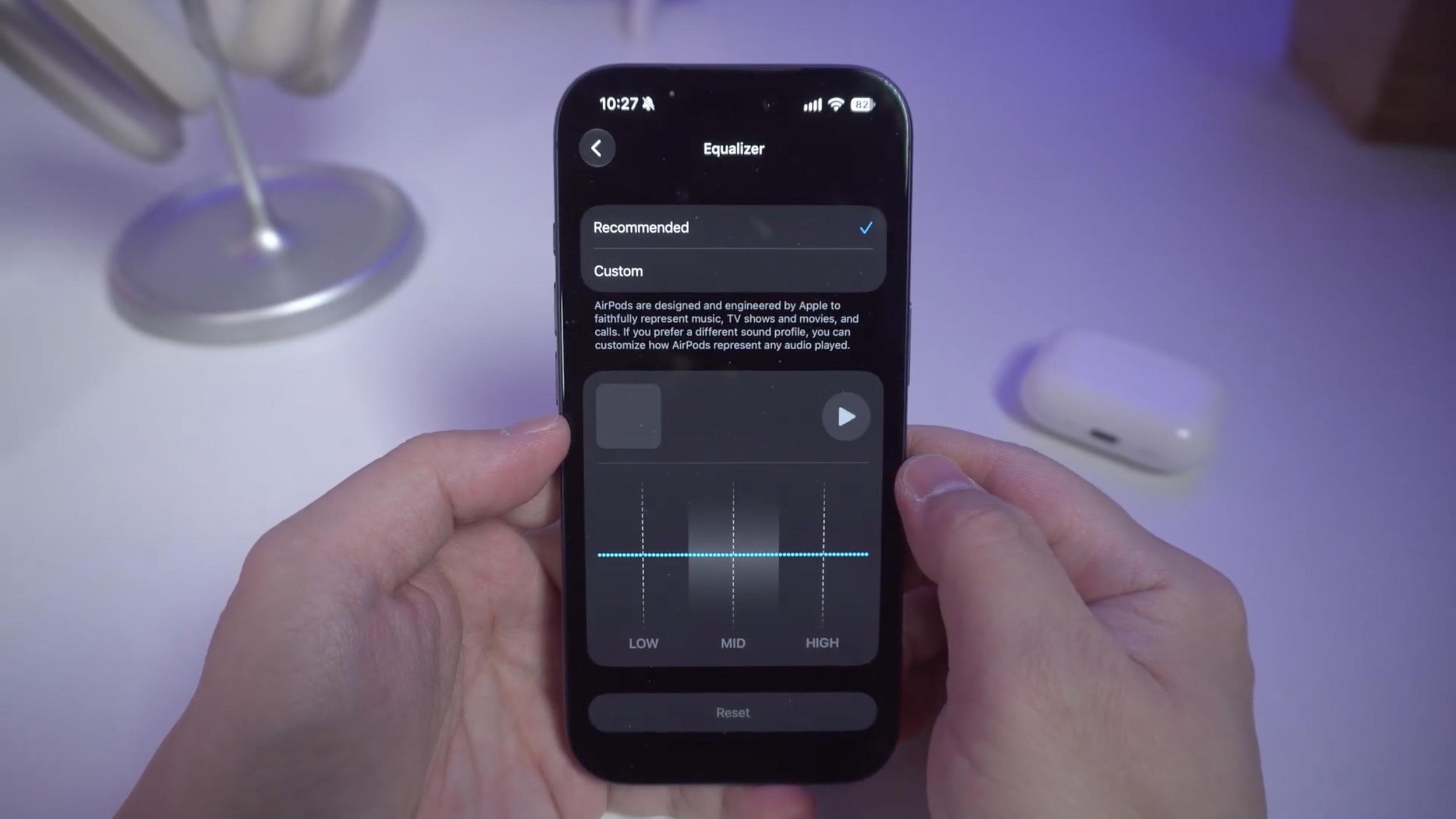
The new AirPods Pro 3 update 9A348 takes it to a whole new level of customization because now, with iOS 27, it now has a 3 band graphic EQ when before, there wasn’t a way to adjust bass mids and treble to my liking.
By the end of this article you’re going to know how each band changes the sound, as well as how its performance on the new firmware compares to the older one in terms of sound, noise canceling, mic pickup and transparency. So buckle up!
The Equalizer
So after running frequency sweeps on all three EQ bands from max to minimum settings, here’s what I found. Maxing out the bass adds up to 7dB below 250hz, while cutting the bass all the way reduces up to 7dB. Pretty straightforward right?
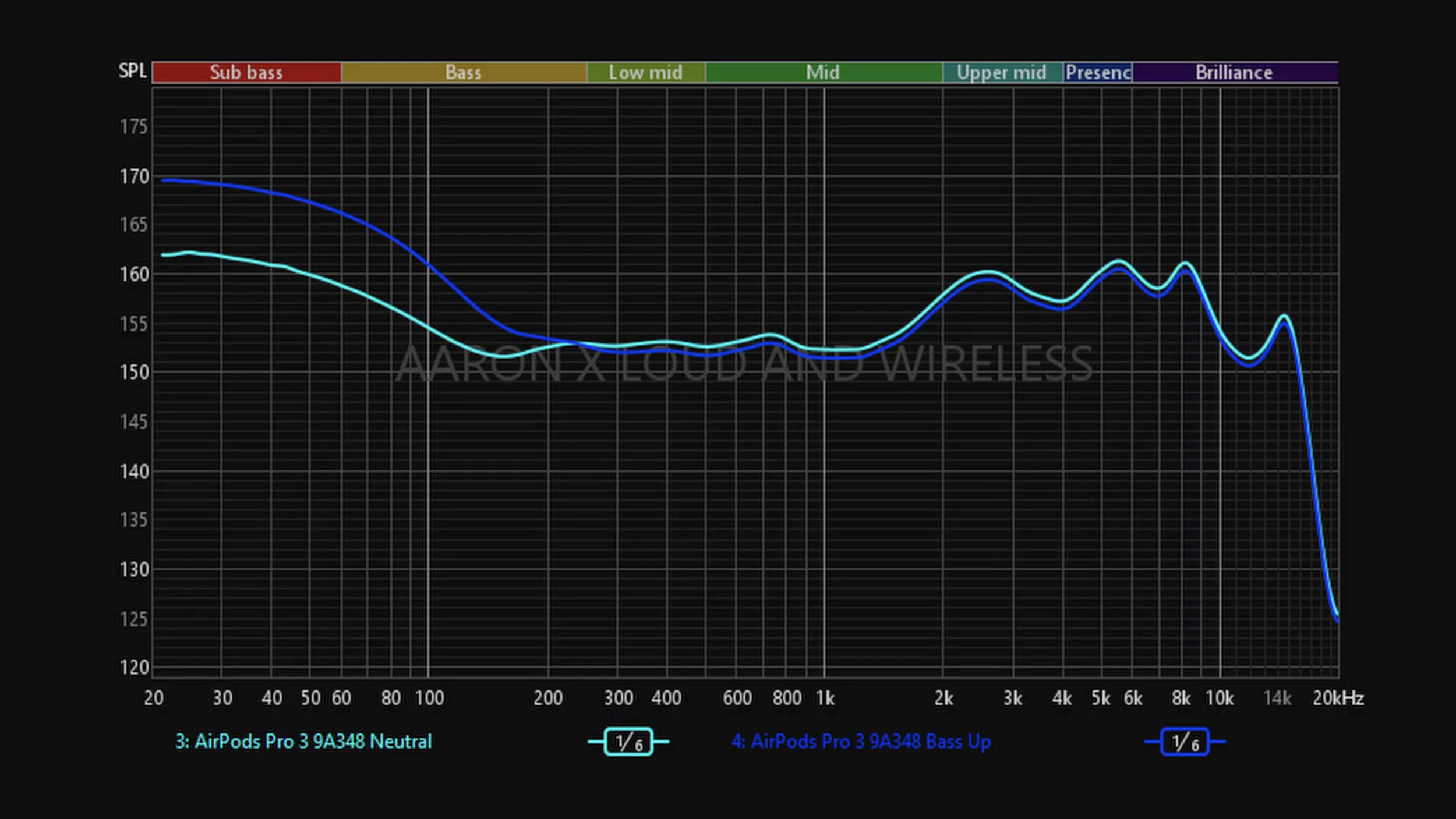
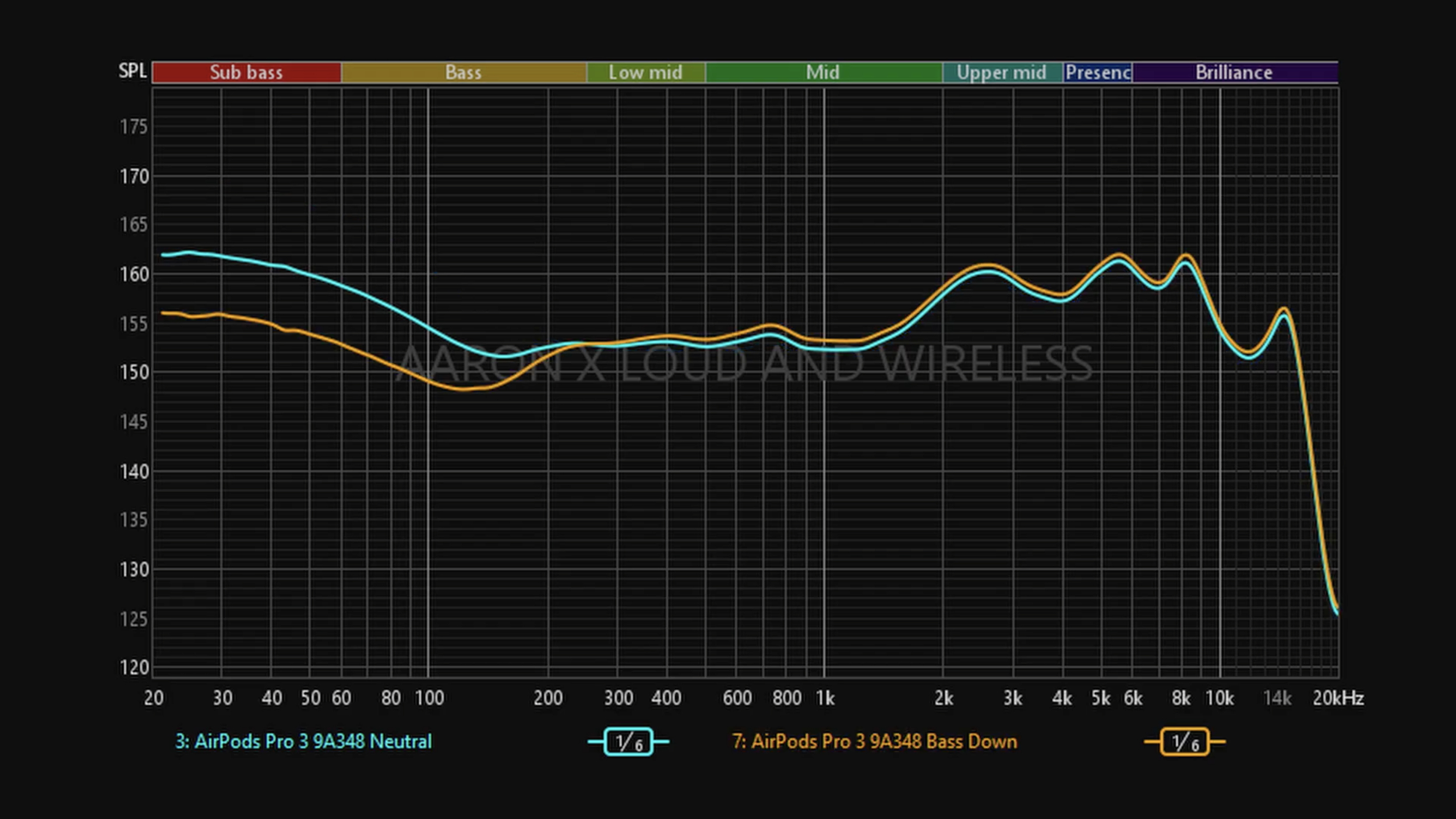
But it gets a bit complicated with mids and highs because those bands affect the whole sound apart from what it’s supposed to adjust, probably to prevent distortion and clipping.
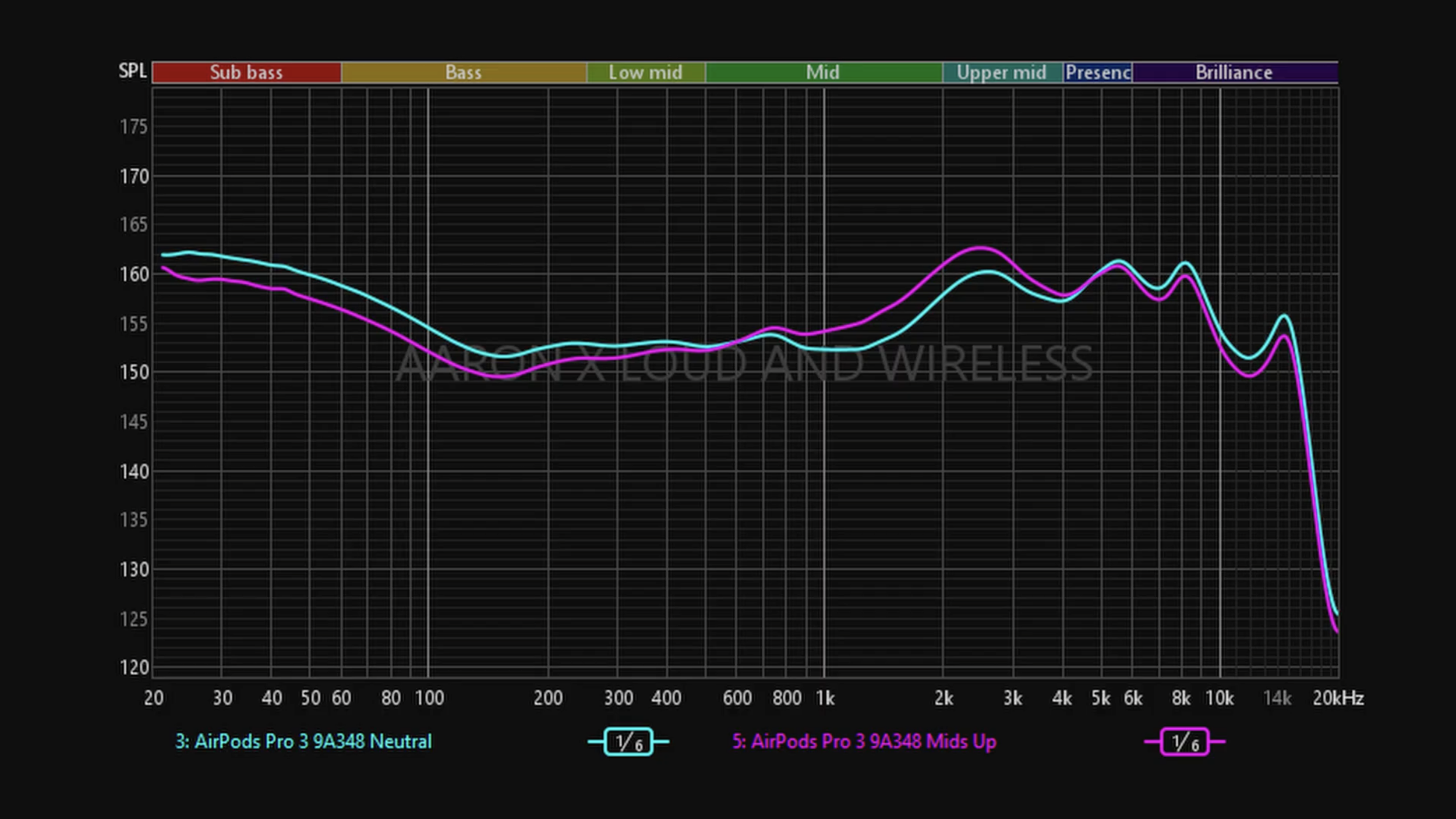
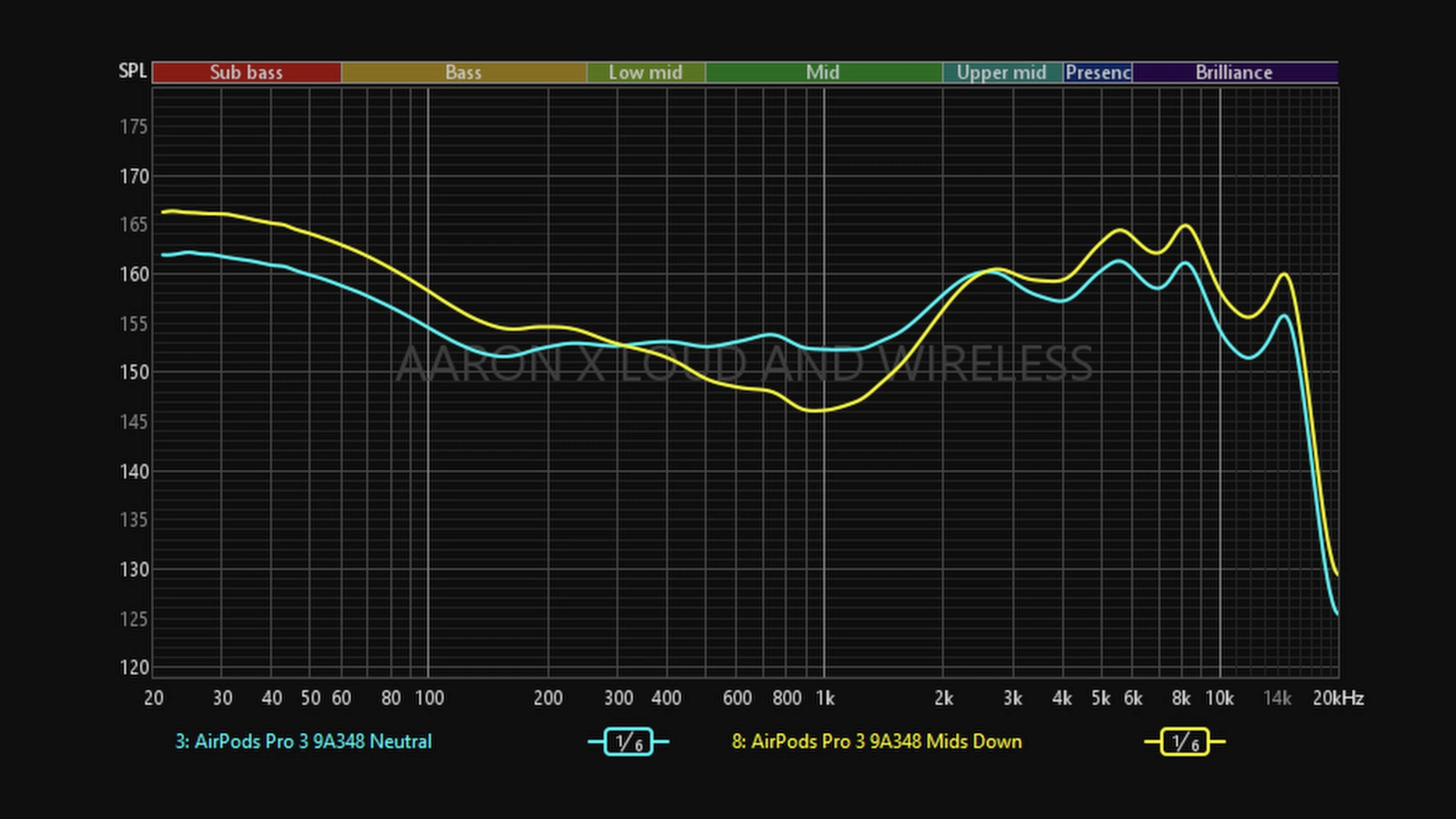
Maxing out the Mids band adds up to 3dB from 600hz to 4.7khz, but also cuts 3dB in the bass and adds 4dB in the highs. Cutting the mids affects a different part of the midrange, specifically the lower mids. Reducing it all the way cuts up to 6dB from 300hz to 2.6khz, but also adds up to 5dB to bass and 4dB to highs. Interesting.
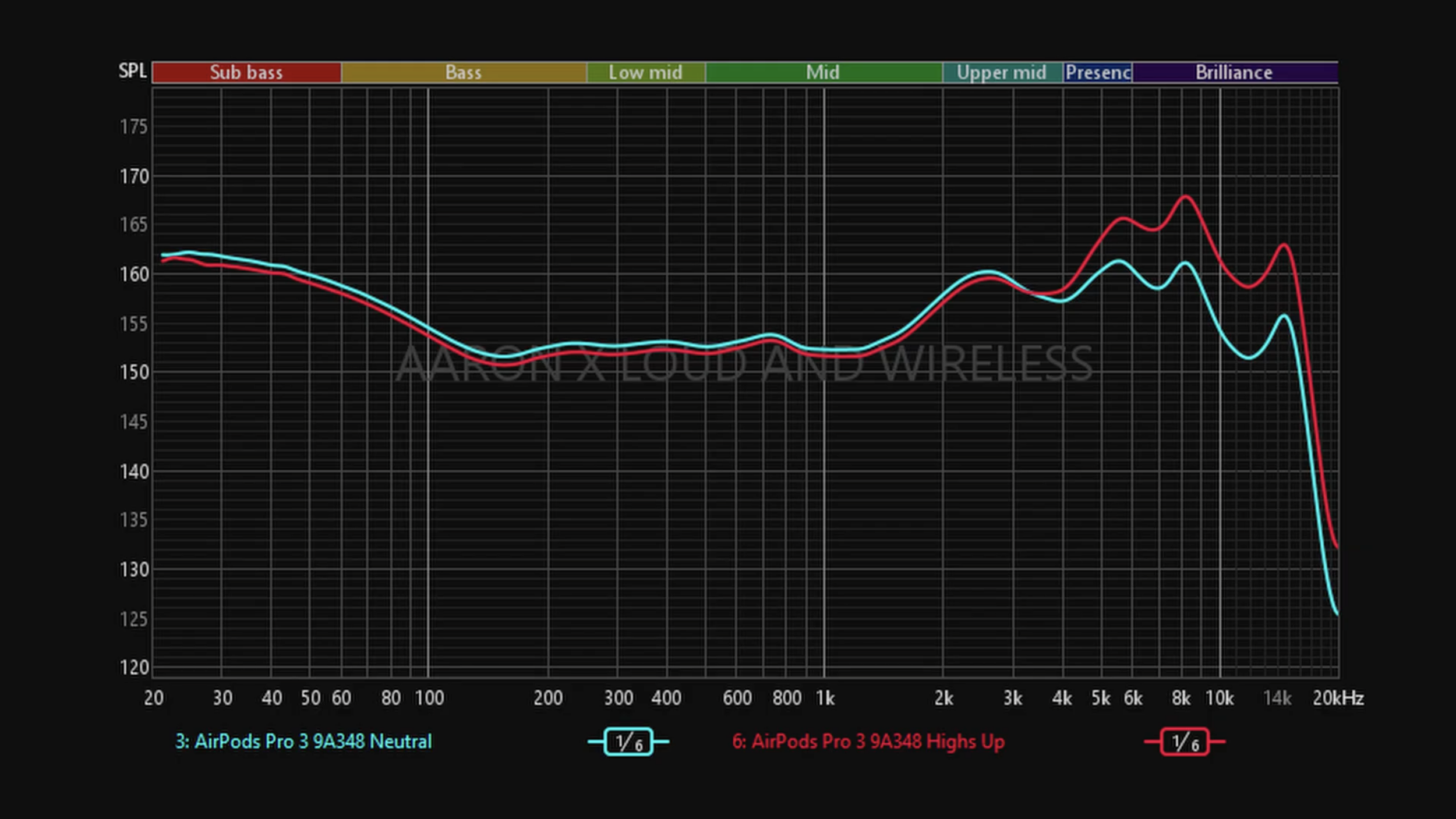
The Highs-band also behaves in a similar way with much of the impact happening above 3.3khz. If we max the highs it adds up to +7dB while reducing 1dB below 2.5khz, but reducing the highs all the way cuts up to -6dB but also adding almost 1dB below 2.5khz.
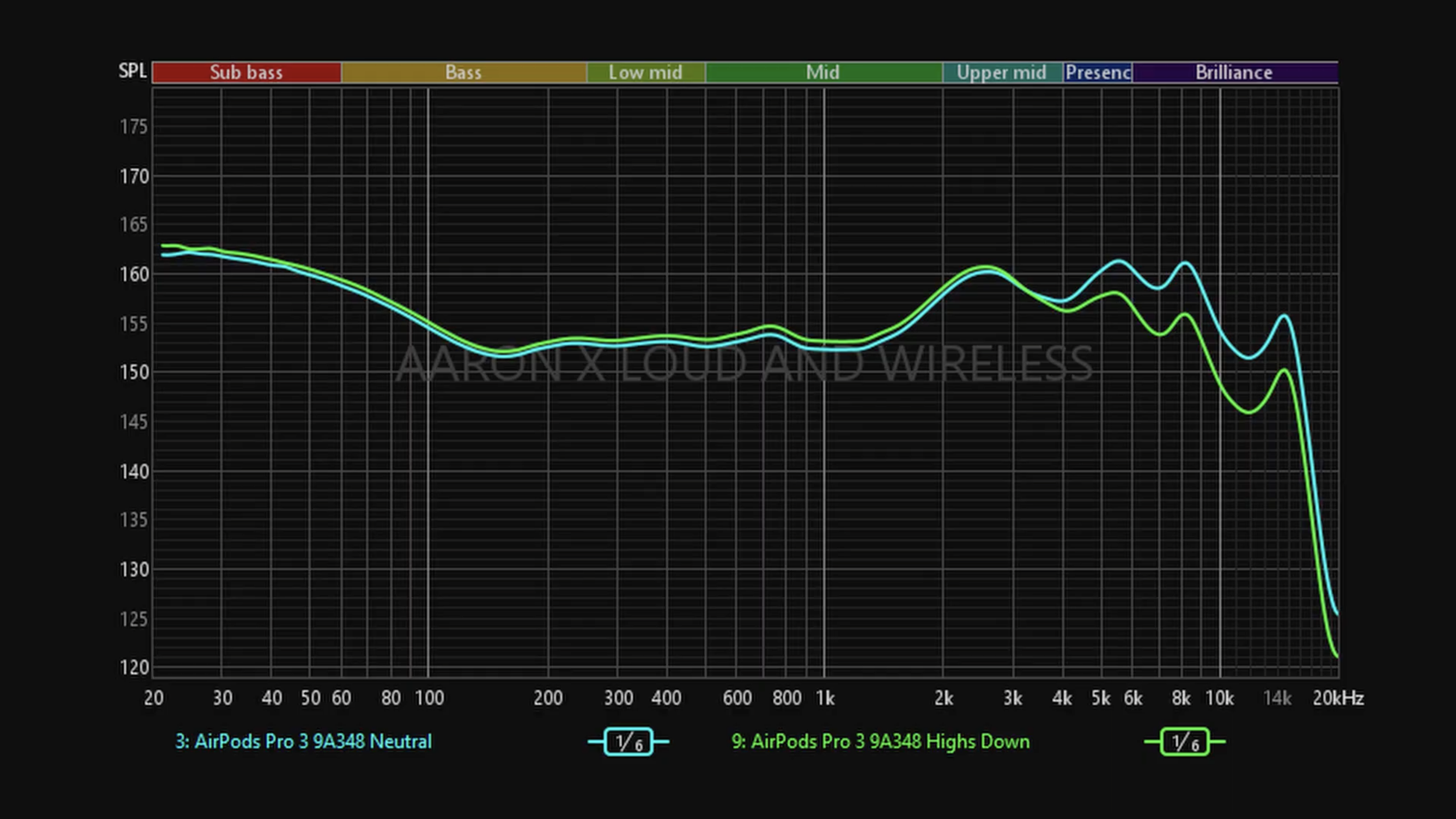
This is how the 3-band graphic Equalizer changes the sound of the AirPods Pro 3. Hope it’ll be helpful in case you want to create your own custom profile but if you’re interested in what my settings are, I’ll be posting it on my Instagram very soon so follow me there. Now let’s talk performance.
Microphone Quality
In terms of microphone pickup, it’s a little better on iOS now because the voice filtering is less aggressive, so a bit more of my noise is getting through. On Android, there is no change whatsoever.
👉🏻 Listen to the mic quality samples
Active Noise Cancelling
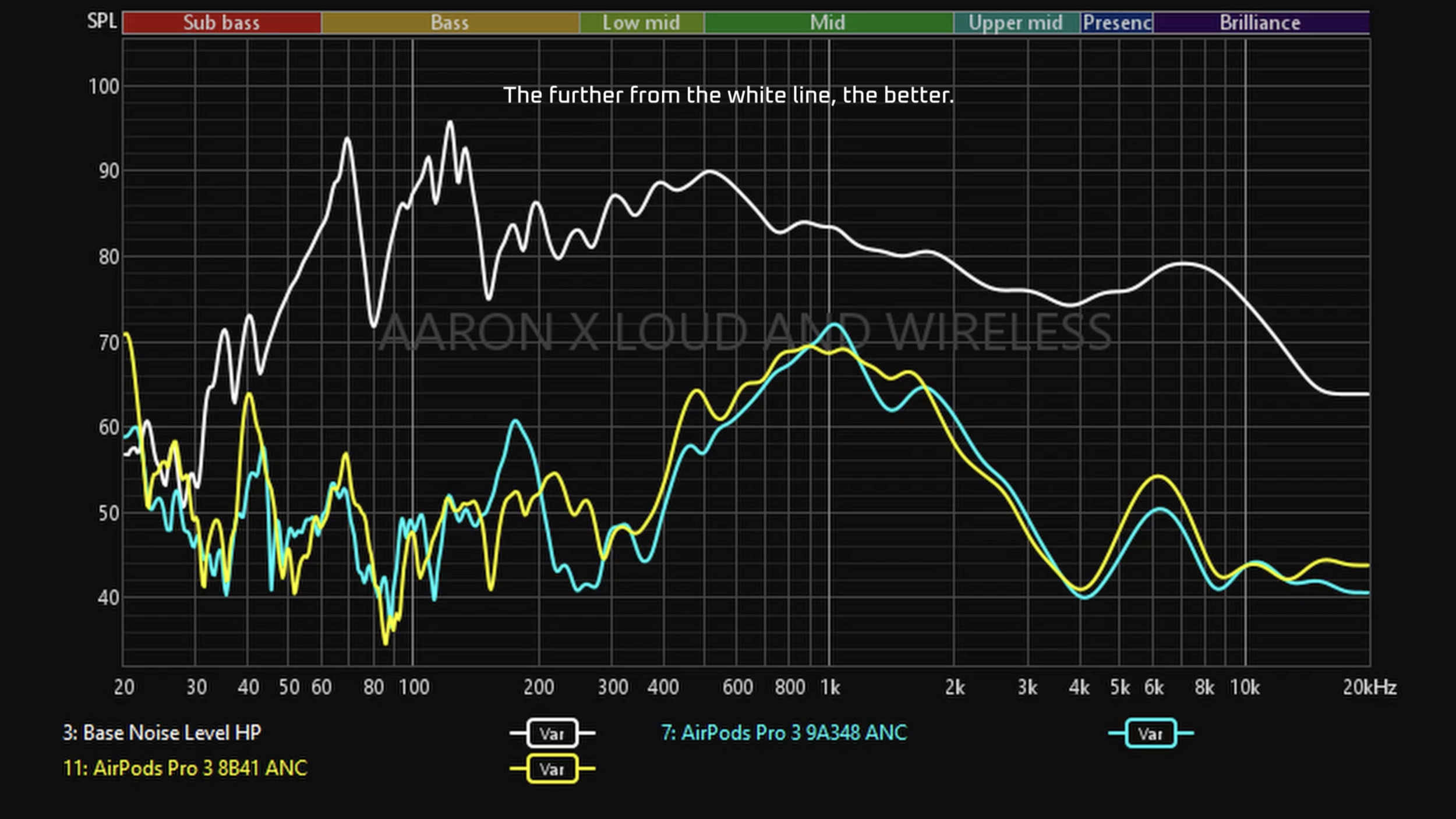
In terms of active noise canceling, it seems nothing much has changed except for some variation between 150-300hz which covers part of the rumbling noise region, and a slight improvement across the mids and highs. In theory, we should see better noise canceling, but it’s such a small difference that in day to day usage, it’s hard to tell the difference.
👉🏻 Listen to the ANC quality samples
Transparency Mode
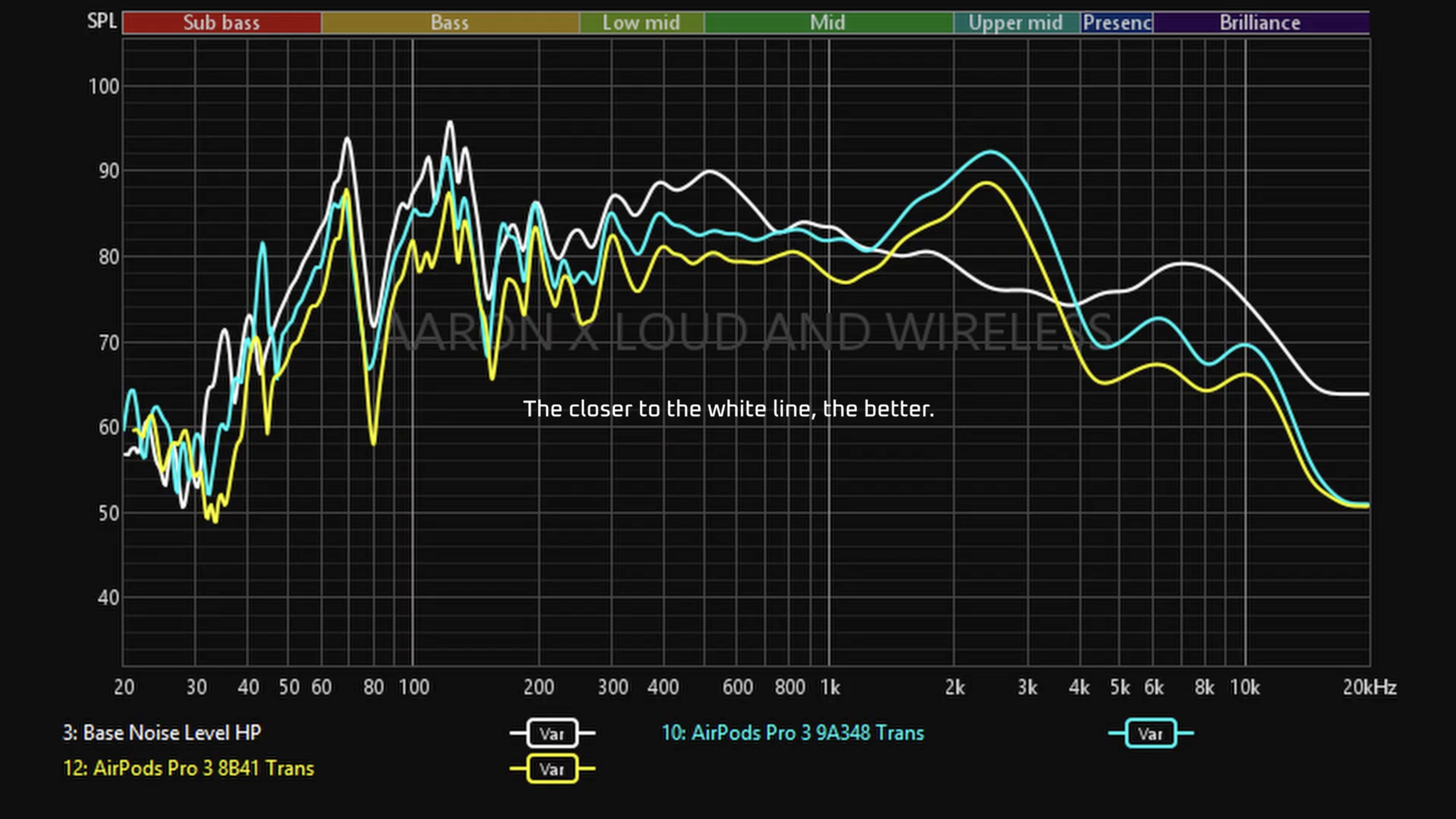
In terms of transparency, there seems to be an improvement here too. There’s more amplification across the board which should increase that sensation of clarity and transparency. In actual usage, yes the loudness of my surroundings and voices seem to be a little more boosted.
Sound Quality
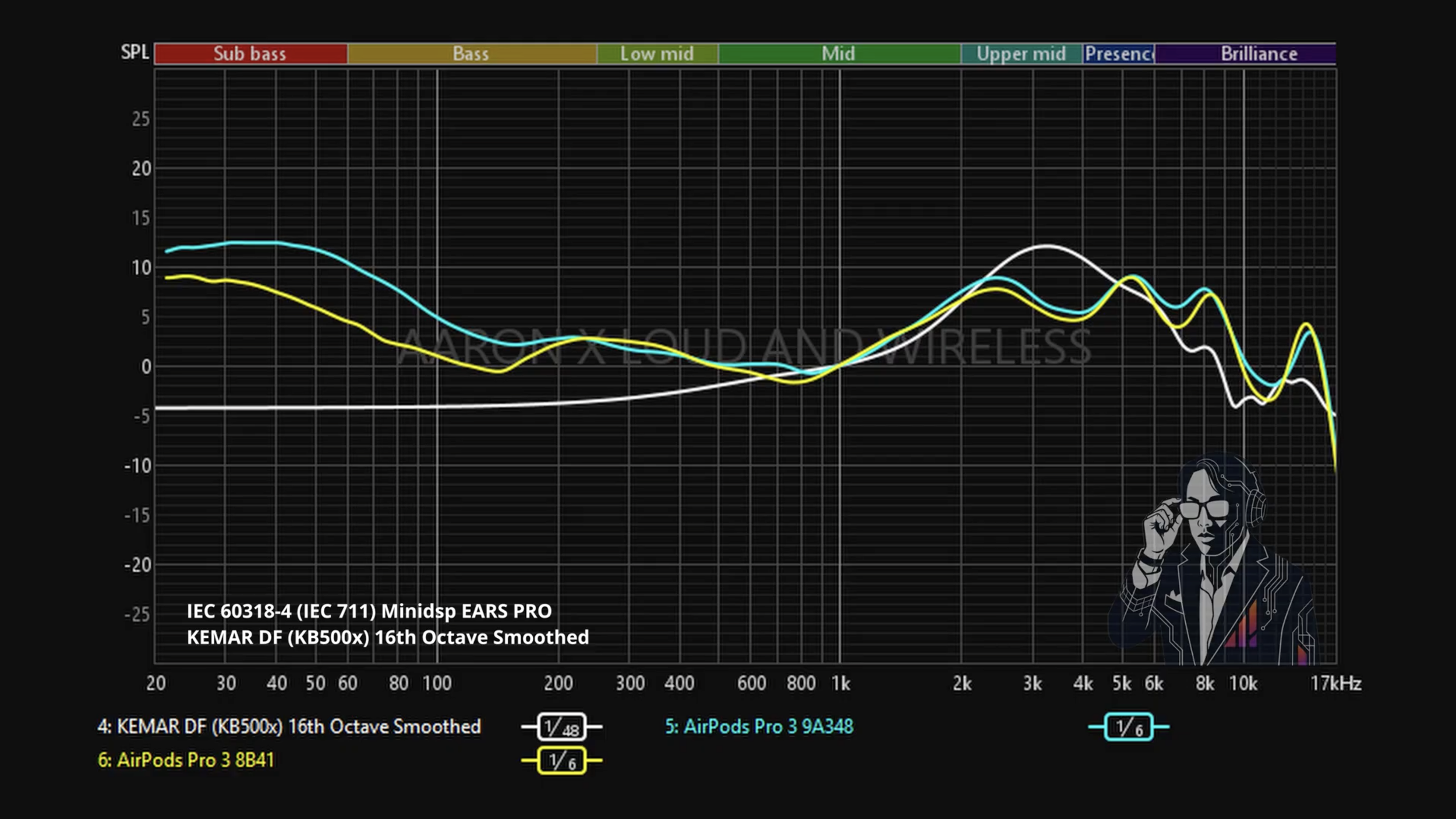
As for sound quality, there is a measurable difference but only in the bass region. Bass on the new firmware is now more boosted, making it sound a bit more V-shaped and energetic. As for other aspects like soundstaging, it’s very similar to the old firmware’s sound.
👉🏻 Listen to the sound quality
So here’s how the new 3-Band EQ works, and how the AirPods Pro 3 on 9A348 compares to 8B41. As usual, if you want to know how future firmware updates to the AirPods Pro 3 affects its performance, follow this space or subscribe to the main channel!
(Affiliate Links Disclosure)
When you make a purchase through the Affiliate Links on this site, the site earns a small commission at no cost to you. Thank you for your support!
