
Game Changer! 🔥 JBL Quantum 950 Review
As a gamer myself, the JBL Quantum 950 are some of the best purpose-built gaming headphones. And I’m going to give you three big reasons why.
But before that, I’m going to come right out and say that in some areas of performance, the Quantum 950 is not going to win any awards.
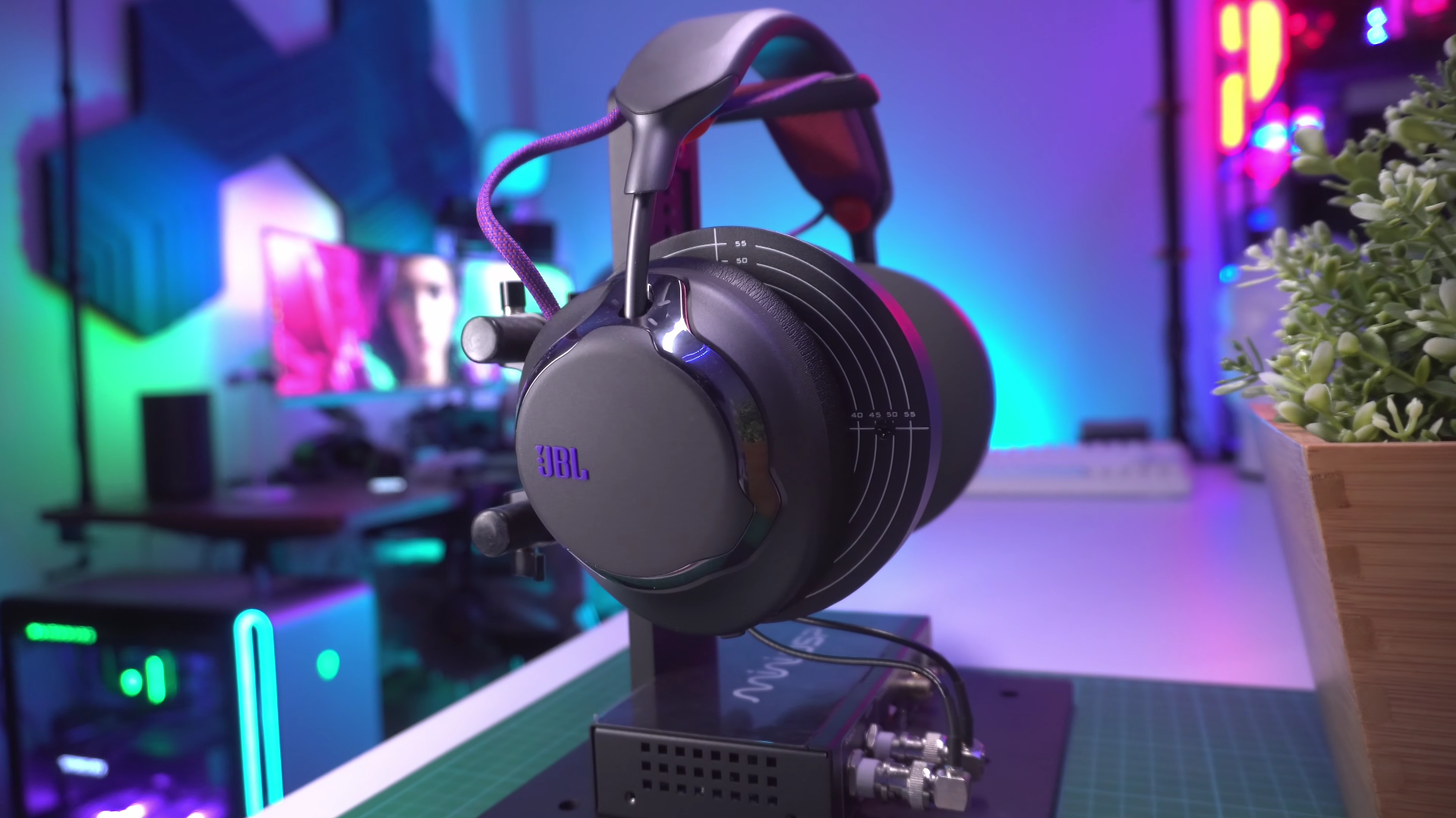
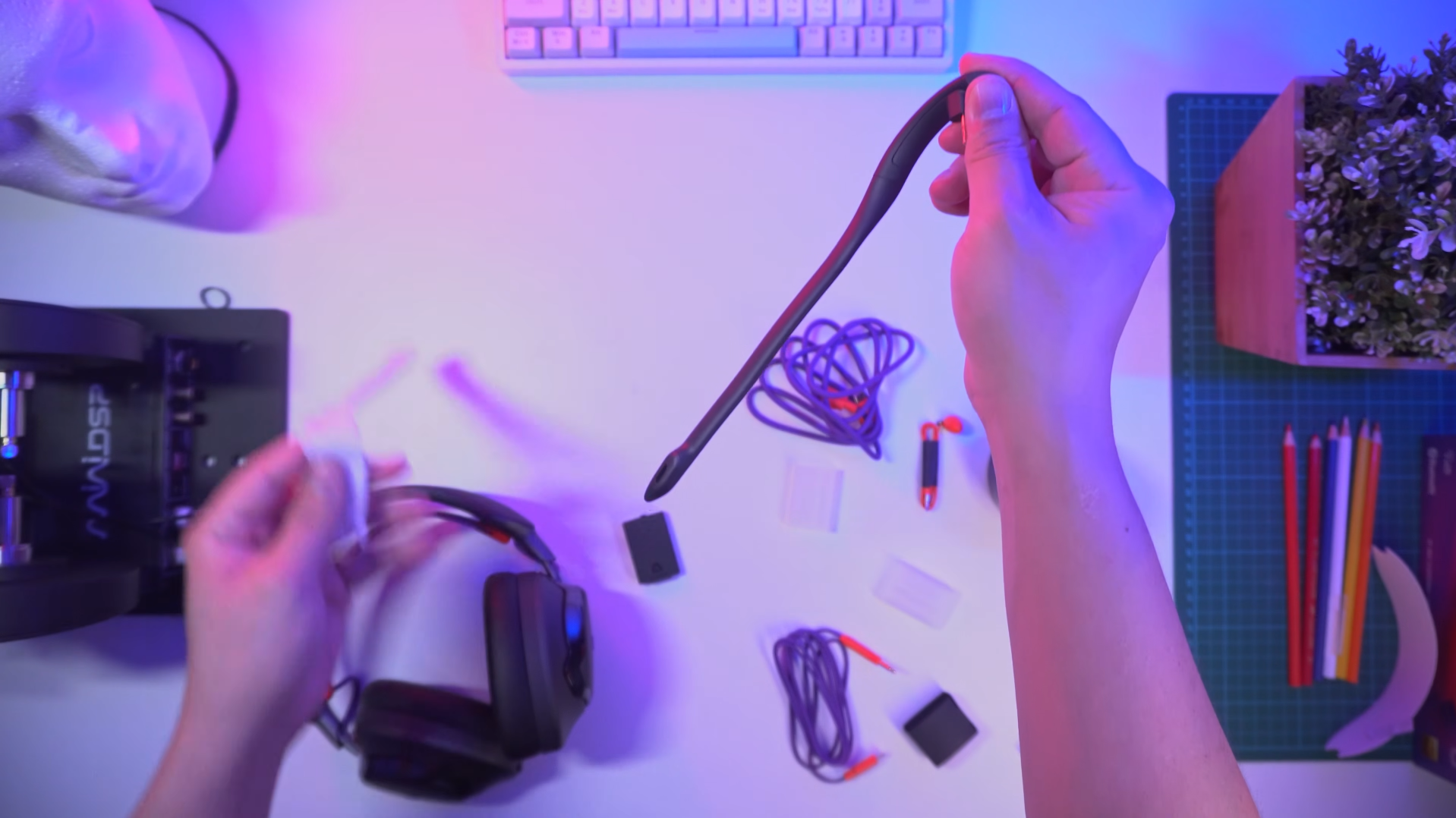
And while the voice pickup of the boom mic is pretty decent, it’s not super wideband voice capture, so it sounds very much like regular mics in headphones, only that it’s much closer to your mouth. We’re going to hear what it sounds like on its default settings over the different connectivity options.
👉🏻 Have a listen to the mic quality samples
Active Noise Cancelling
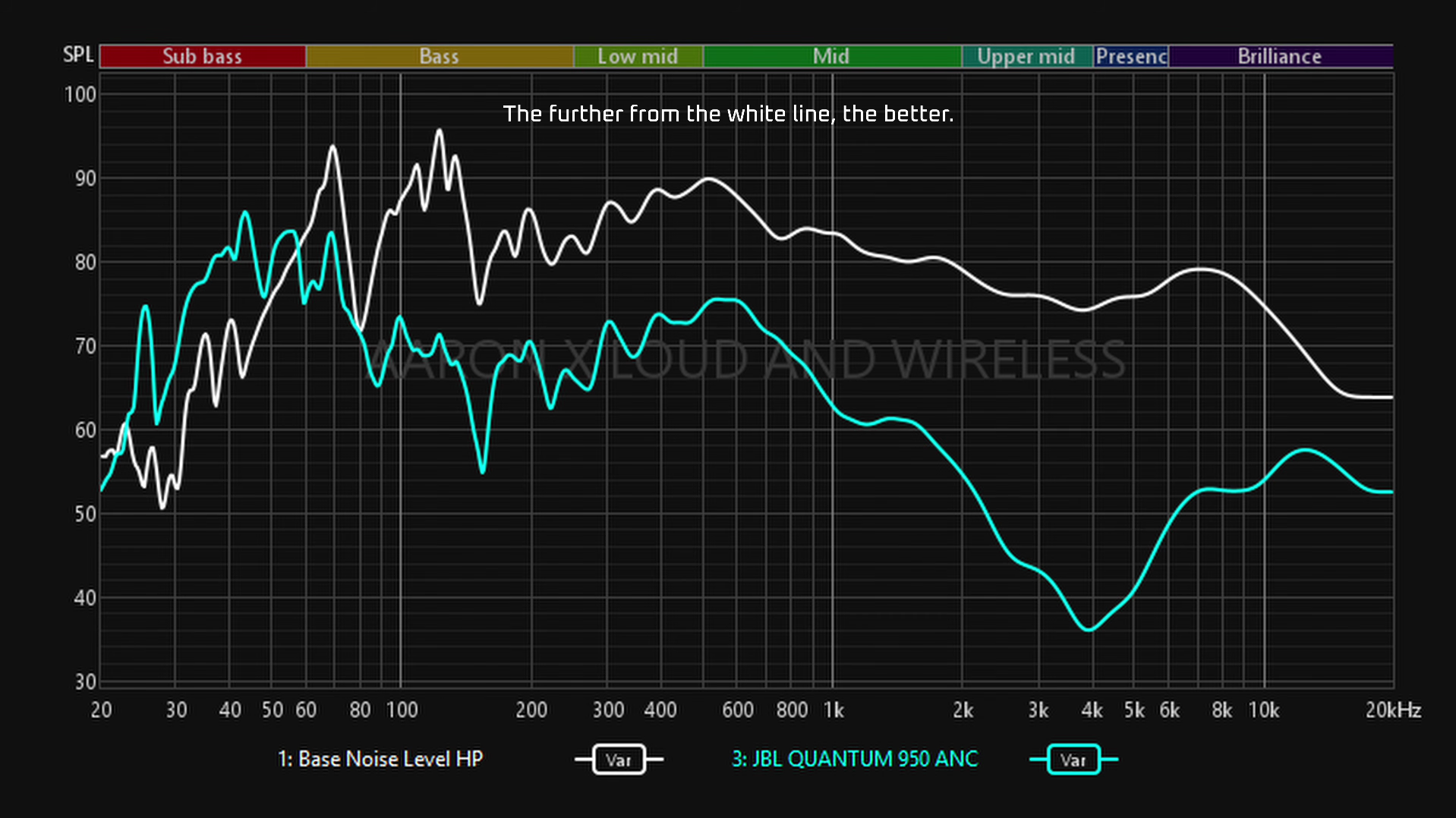
As for noise canceling performance, I can see why it isn’t such a big focus here. You’re most likely going to use gaming headphones at home, not in public transport, or at the mall, so noise canceling doesn’t have to be that powerful, just powerful enough to dumb down surrounding noises to a much more bearable level, which the Quantum 950 can accomplish.
👉🏻 Have a listen to the ANC quality samples
Transparency Mode
As I said, its transparency mode, or ambient aware, is also quite average. Again, people are mostly going to use this at home so the main focus here isn’t on full transparency, but transparency that’s good enough that you can have a face to face conversation without taking the headphones off.
Nonetheless, there are 3 big reasons why I like the Quantum 950.
User-replaceable batteries!
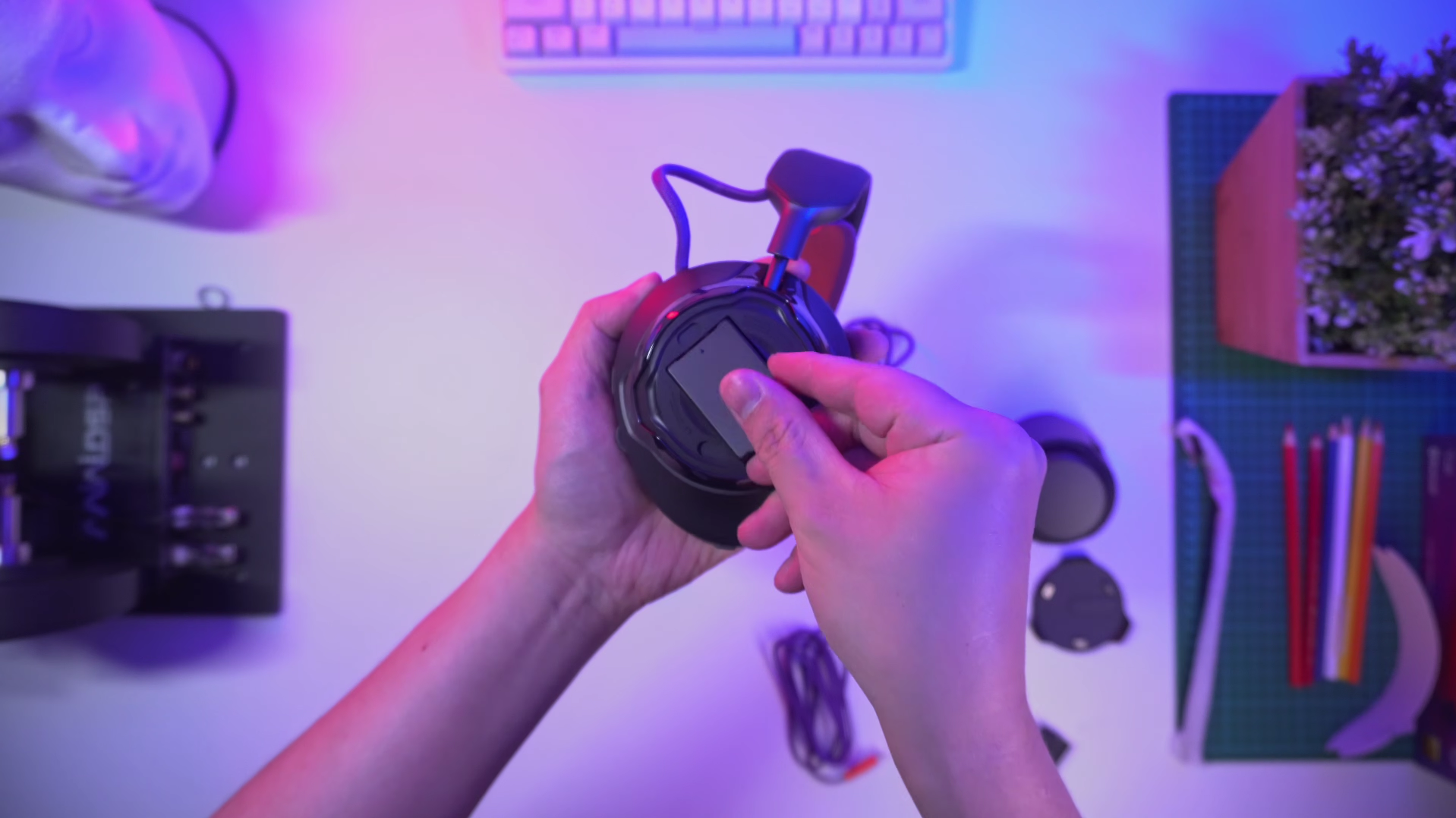
If the battery runs out while gaming, you can just swap them easily! JBL includes 2 batteries in the box, and each battery runs for up to 25 hours, so that’s a total of 50 hours of battery.
You can charge them through the headphones, or you can charge the battery inside the control puck. So when one is done, just take a fresh one out of the puck and put the empty one in. You can also buy replacement batteries straight from JBL so you don’t have to upgrade to a totally new headset when the batteries reach the end of their lifespan.
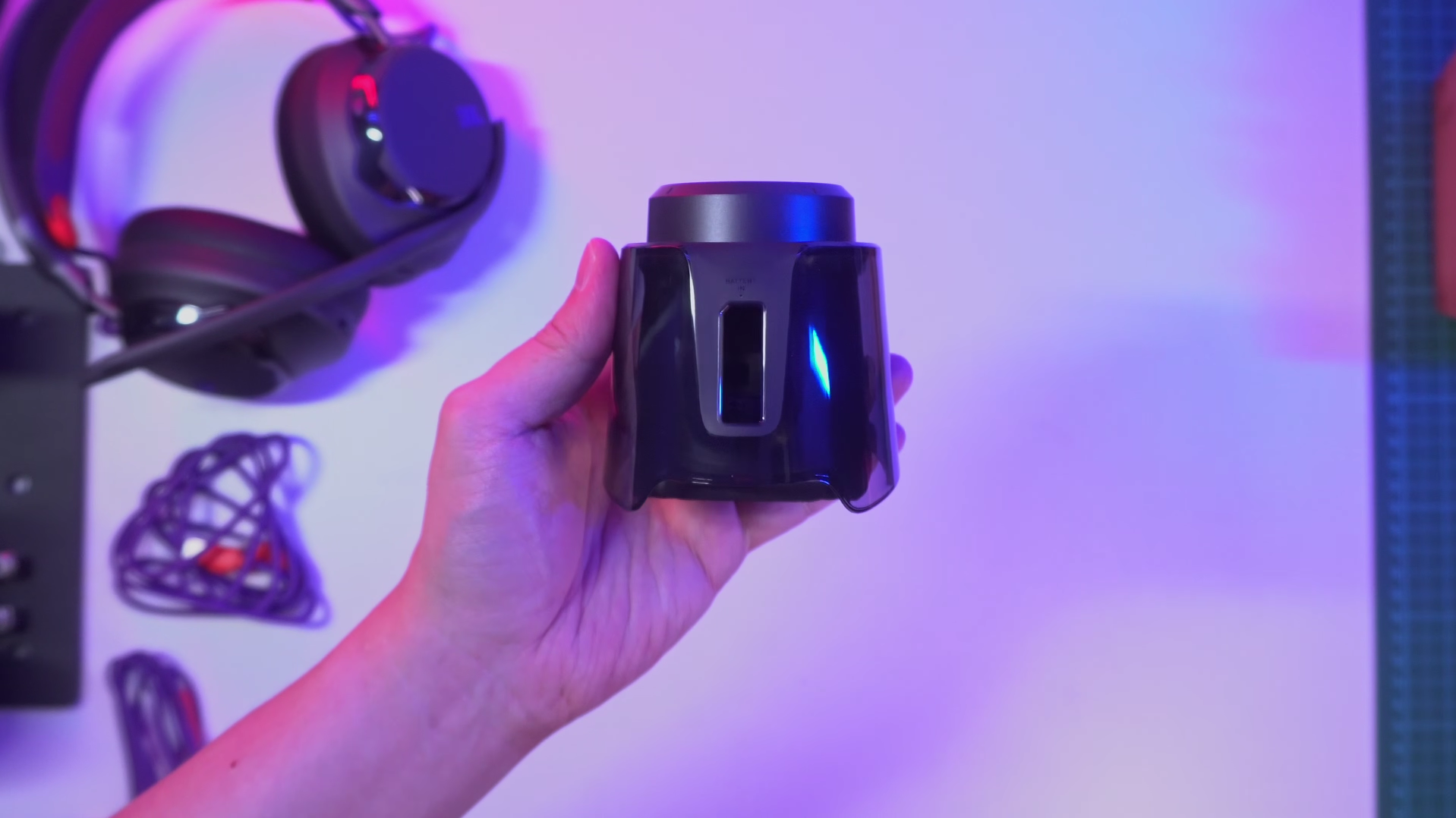
That being said, the puck does draw a lot of power, definitely more than a simple dongle, because you’ve got the flashy lights and a battery charging inside, so it’s not that ideal for connecting to portable devices like phones and gaming laptops, since it cannibalizes their battery. So to save power, turn off the lights in the PC quantum app, and remove the battery inside.
They pretty much work with anything
Second, they connect to pretty much anything, whether wired via USB-C (a 3.5mm converted cable is included), wireless over direct Bluetooth, or 2.4Ghz through the control puck. With so many ways to connect, it works with my PC, PS5, iPhone, iPad.
The control puck is convenient for changing the audio and microphone volume, toggle ambient modes, and as mentioned, it’s also a charger for the JBL battery.
At first I was concerned that the sound quality is going to be different depending on what the connection is, but as you can see from the frequency sweeps shown below, it’s very consistent because all the signals are going through the same DAC in the headphones.
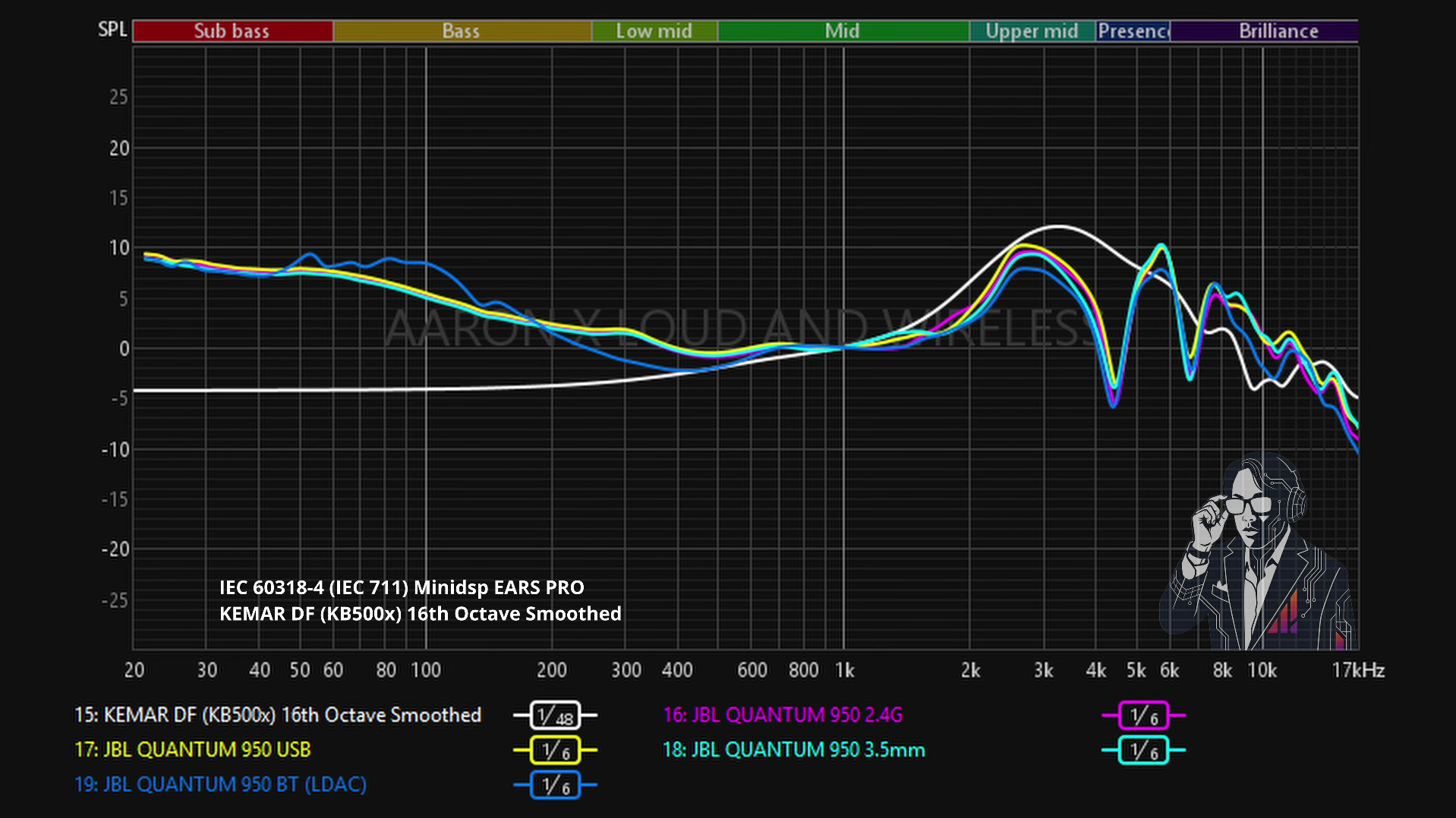
As for whether a direct USB-C connection’s better, it’s supposed to be, because of the higher bandwidth and supposedly slightly lower latency. Even so, my brain could not pick up any difference in sound, or any latency issues playing over the 2.4Ghz connection.
👉🏻 Have a listen to the sound quality
EQ Settings
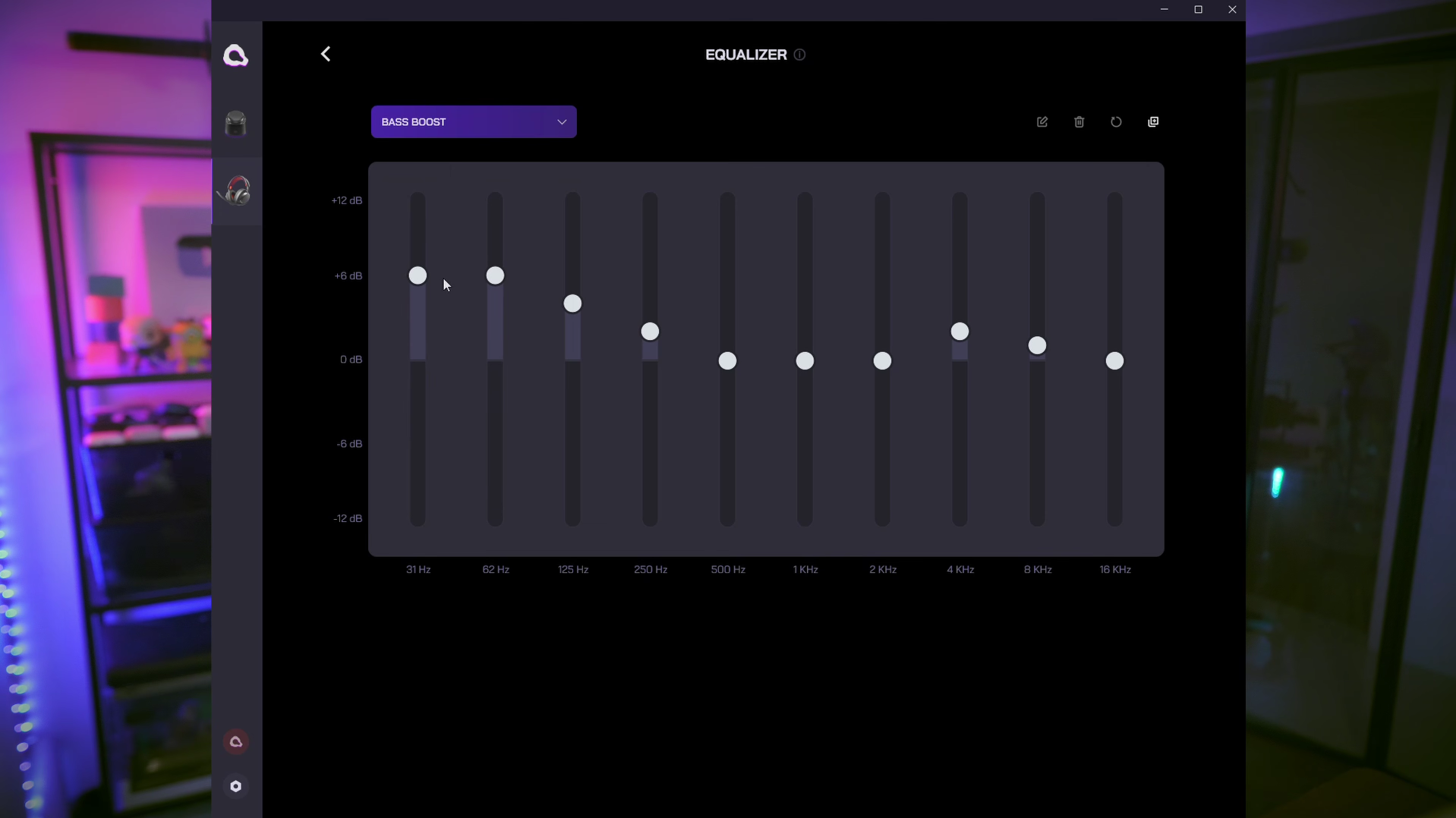
As for what I think about their sound quality, they definitely do have great dynamic range, a relaxed spaciousness to the soundstage, they’re crisp and detailed, and by default they’re not bass heavy, but if you want to, you can even make them bass cannons with the bass boost preset in the QuantumEngine app.
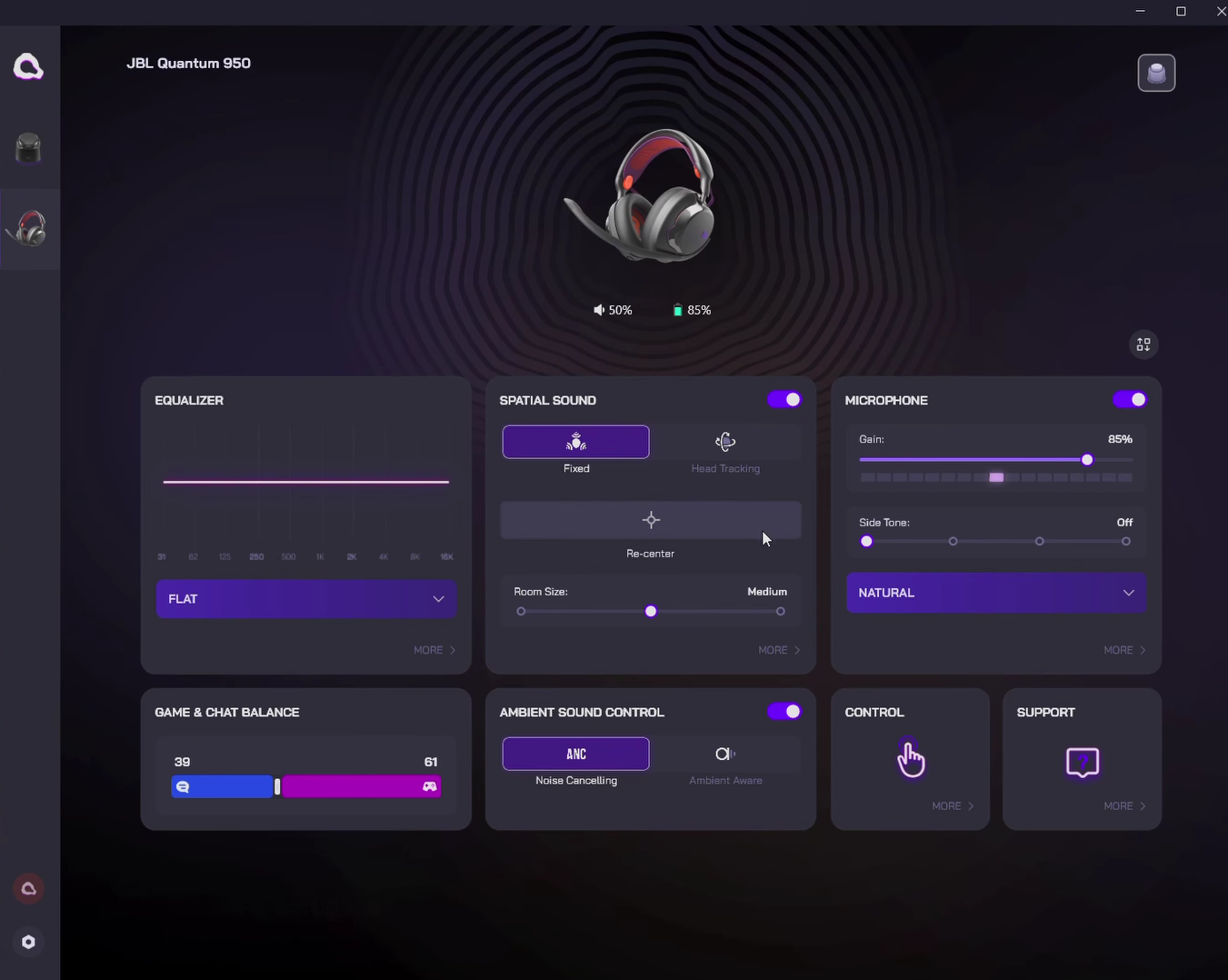
There are other presets too, most of which are gaming oriented, and a 10-band graphic EQ. I’m sure it’s pure coincidence that the bands are identical to Sony’s!
One of the nicest Spatial Audio I’ve heard
The third thing I like about them is their Spatial Audio. It’s very convincing in terms of the way that the sound objects can travel around the back of my head. It feels very seamless and accurate, and there’s even the sensation of distance of faraway sounds.
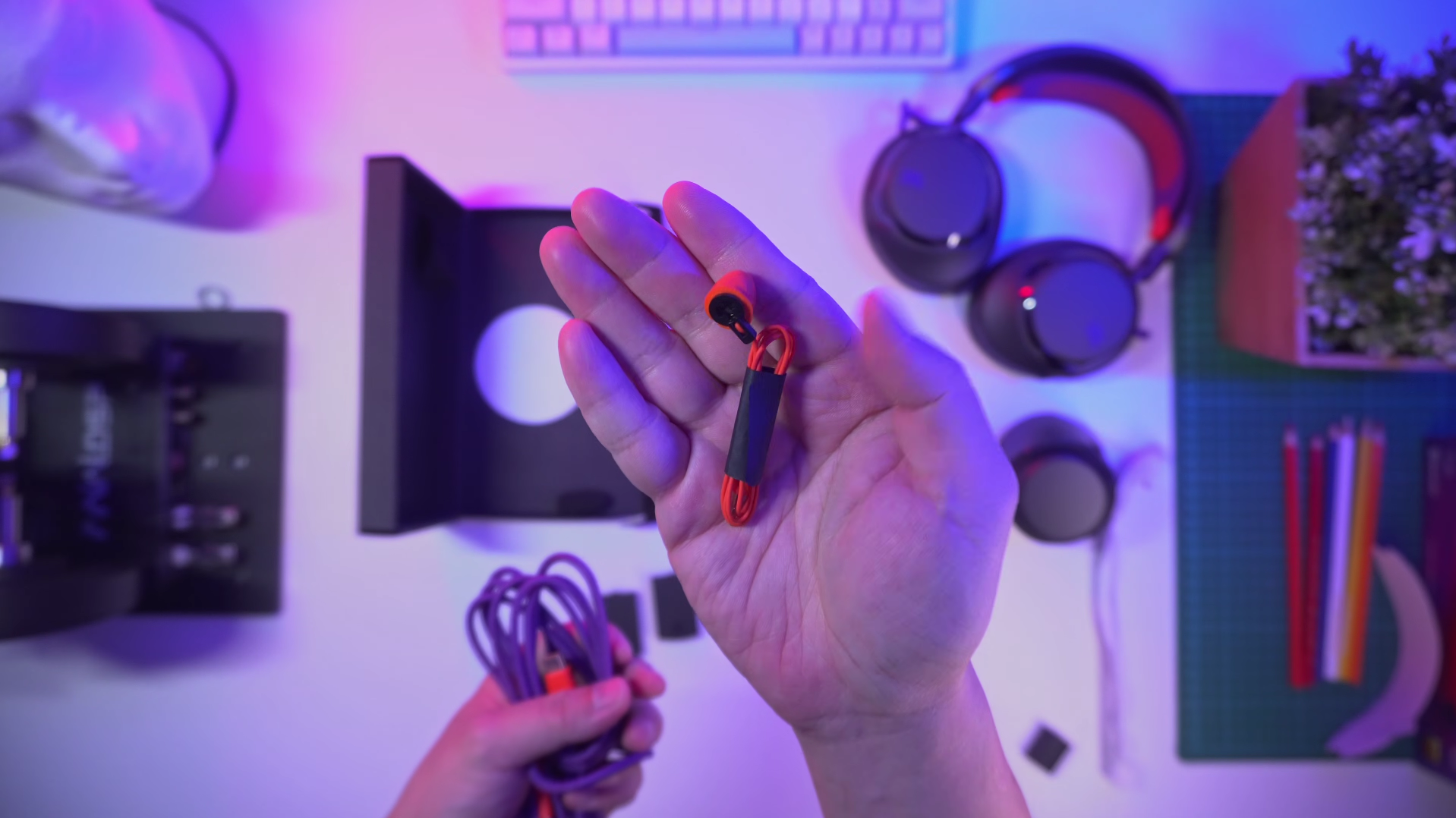
By default, Spatial Audio sounds boomy, but it’s easily fixed after calibrating the headphones with this microphone accessory (shown below) which measures the acoustics of earcups while you’re wearing it.
With head tracking, it feels more natural because the soundstage is pinned down while I’m turning my head to look at the corners of my Ultrawide monitor.
What I don’t usually like about Spatial Audio for gaming is the excessive reverb in the voices and footsteps, but this one allows me to adjust the strength of Spatial Audio so that those problems are kept to a minimum. I can also toggle in and out of Spatial Audio with a button on the right side ear cup, or I can set the control puck to toggle it.
What can be better…
Those 3 factors alone really makes the Quantum 950 stand out from the rest. That being said, some things can be better. For example, Spatial Audio is not supported via Bluetooth, only 2.4Ghz or USB-C connection. Would be better if Spatial Audio can work regardless of connection methods.
Second, no playback controls on the headphones or the control puck, so media controls have to be done on the device itself, even if it’s not within arm’s reach, which isn’t so convenient.
Third is about the comfort. Although I don’t have a problem wearing them for a few hours straight, they are a little heavier than I’m used to so I do feel a bit more of the clamp
So those are my thoughts on the JBL Quantum 950, one of the best gaming headphones I’ve tested, but with some caveats in terms of performance and features. Do you have any questions about the Quantum 950? Let me know in the comments!
Check latest price:
JBL Quantum 950 - https://amzn.to/4vr71fH
(Affiliate Links Disclosure)
When you make a purchase through the Affiliate Links on this site, the site earns a small commission at no cost to you. Thank you for your support!
